October 7, 2026 · 6 min read
Notebook: my notes as a chat with myself, now open source
It started as a two-day experiment so I would stop losing my university notes. Two months later I rebuilt it measuring everything, kept it running for free and released the code under the MIT license.
In this post
My university notes lived in five places at once: my notebook, whiteboard photos in my gallery, voice notes, the class WhatsApp group and the odd loose file. Before an exam, finding “that thing the professor said about mitosis” was harder than studying it.
What I was good at was texting myself on WhatsApp: fast, no thinking about formatting. That’s how Notebook was born: notes as a chat with yourself, but with memory. You write, paste a photo or record a voice note, and later you ask your notes questions in plain language.
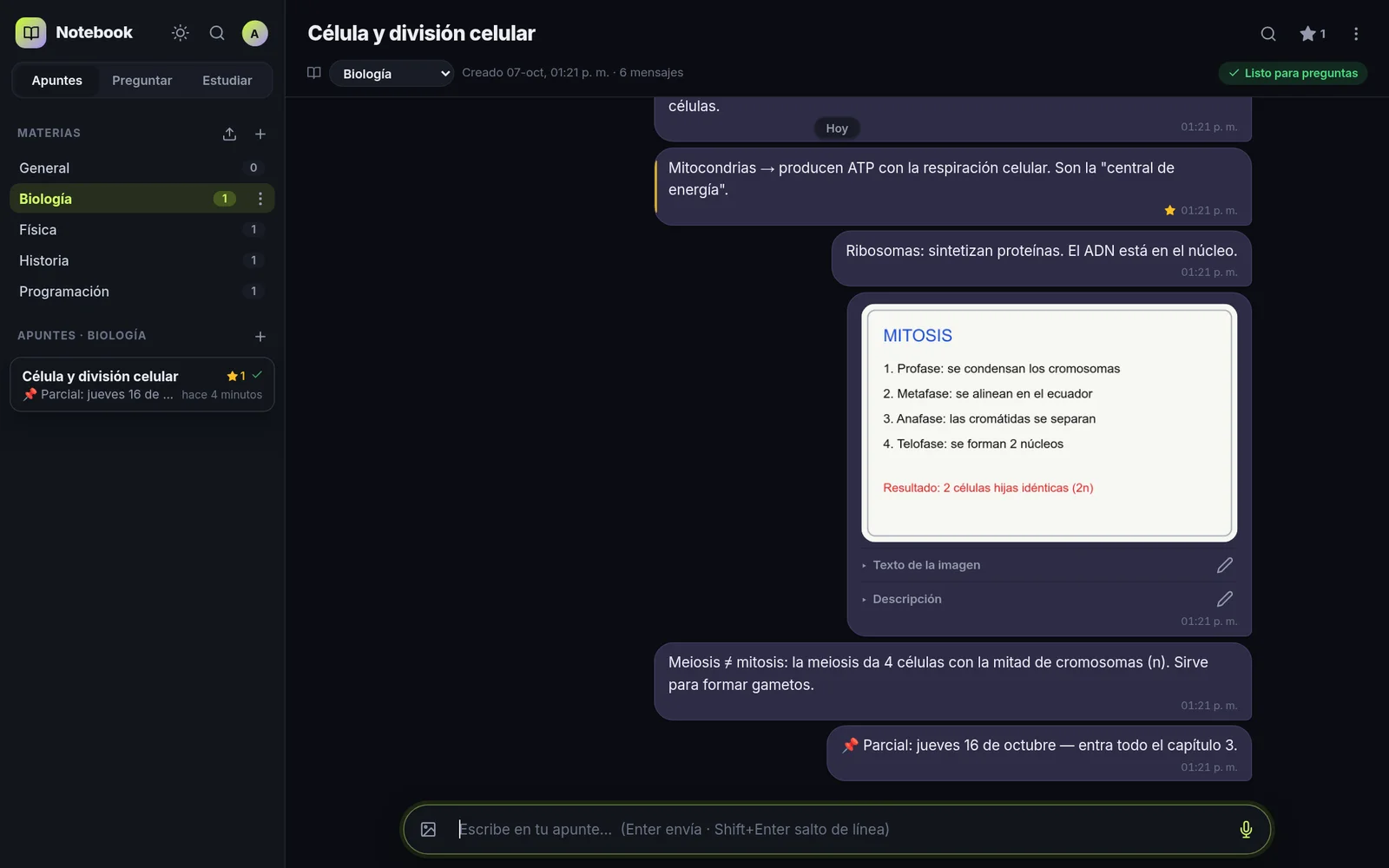
(The screenshots show the Spanish interface with made-up demo data; the app also comes in English.)
This is how it went from a weekend experiment to an open-source project.
The first version: two days in August
I built v1 on August 9 and 10, 2026. It had just enough:
- Every note was a thread of messages, organized by subject.
- Whiteboard photos were transcribed by a vision model, so their text was searchable too.
- A WhatsApp chat importer: every message with its original time.
- A first RAG: notes were split into chunks, turned into embeddings and searched with sqlite-vec, inside the same SQLite file. No separate vector database.
I kept it lightweight on purpose: Node.js with Express, a framework-free frontend and a systemd service instead of Docker, because my home server has very little RAM. It worked, I used it every day and other people started using it too.
What wasn’t working (and I didn’t know it)
Two months later I took a serious look and found several problems at once:
- The chat was broken. The provider I used had run out of credit and was returning errors. And even before that, the answers weren’t helping: the 3 saved answers I checked all said “I don’t have information about that”.
- The relevance cutoff was a copied number. I had used a “recommended” value instead of one measured on my data, and it was discarding good results.
- Chunks were splitting messages in half. A question could find the end of a message without its beginning, and the answer made no sense.
The lesson was blunt: if you don’t measure, you don’t know whether it works.
Rebuilding it, measuring first
Before changing anything I built an automatic evaluation: it generates questions from the notes themselves and checks whether search finds the right chunk. It only prints numbers, never the content of the notes.
With that as a guide, on October 7 I rebuilt the core:
- Chunks that keep whole messages, with their date and who wrote them.
- Hybrid search: by meaning (vectors with sqlite-vec) and by exact words (SQLite’s FTS5), with both lists combined using Reciprocal Rank Fusion. If someone asks about an acronym or a proper name, keyword search finds it even when vectors don’t.
- Incremental indexing: adding a message only reprocesses the last chunk, not the whole note.
- A calibrated relevance cutoff: relevant results had a similarity of 0.38 or more and unrelated ones 0.37 or less, so the cutoff went to 0.30.
The result, measured with 30 questions on real data: the right chunk comes first 73 % of the time and is among the top 6 93 % of the time (MRR 0.80).
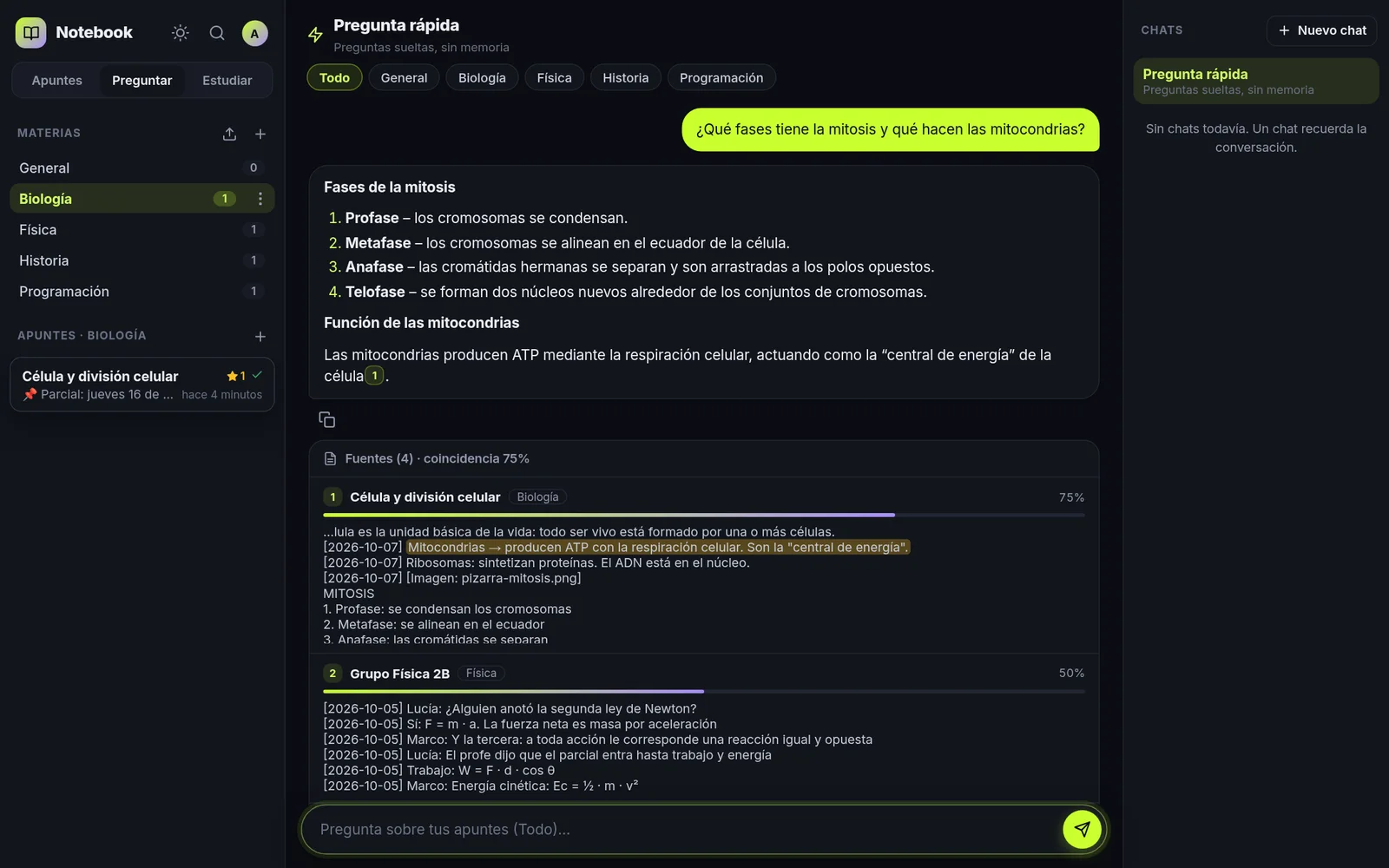
On top of that foundation came the features you notice when using it:
- Streaming answers with Markdown and tappable citations: they jump to the exact message and highlight the sentence the AI used. The first text shows up in ~1.4 s and the full answer in ~2 s.
- Conversations with context: a follow-up (“and the second phase?”) is rewritten as a standalone question before searching.
- Voice notes recorded in the app or WhatsApp audio, transcribed and searchable.
- Global search with Ctrl+K, accent-insensitive, also inside photos and audio.
Making studying part of the app
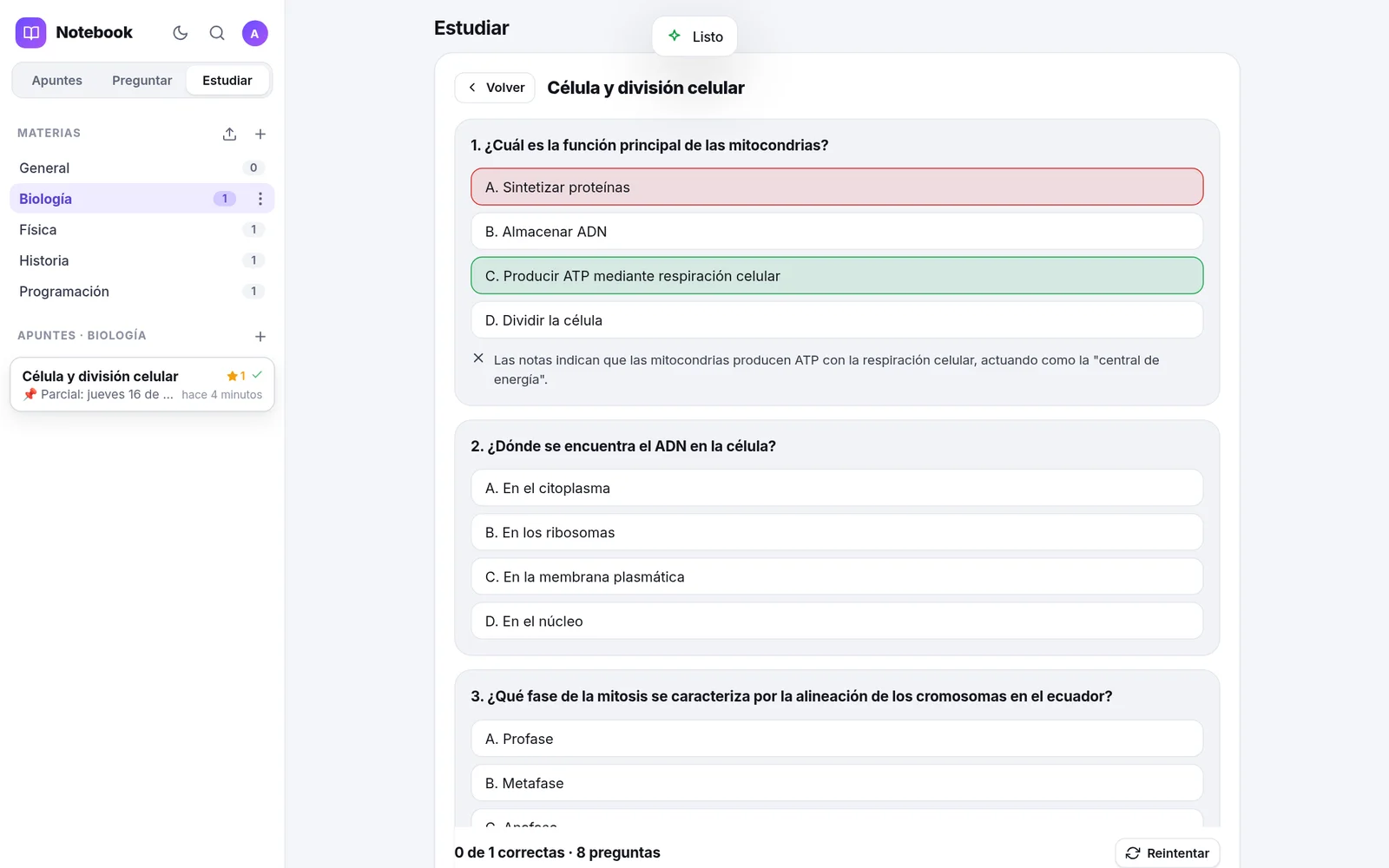
Having tidy notes is nice, but what really helps before an exam is reviewing them. So I added Study mode: from a note or a whole subject it generates summaries, flashcards (flip, shuffle, “I know this one”) and multiple-choice quizzes with an explanation for each answer. Everything comes from what you wrote, not from the internet.
Free and fluid
I wanted it to cost nothing to run, so all the AI uses free tiers:
- Groq (
gpt-oss-120b) for chat, and Groq Whisper for voice. - Gemini for embeddings, for reading images and as the chat fallback.
Free tiers have limits, so the app respects them: it indexes at about 90 texts per minute and retries according to what each API asks for.
My other obsession was making writing feel instant. Messages appear as soon as you press Enter and are sent in order in the background, even on a slow network. The input never loses focus, drafts survive a page reload and, if the connection drops, sends are retried automatically when it comes back. No animation improved the experience as much as that send queue.
I also gave it a new design, light and dark themes (with the same lime and violet as this portfolio), a Spanish/English interface and a phone layout with bottom navigation.
Why open-source it
Notebook solves a problem every student has, and it can run on an old computer or a Raspberry Pi. Publishing it made sense. But opening it up forces you to tidy the house:
- A clean history: the public repository starts from scratch, with no personal data or traces of my infrastructure.
- 30 automated tests with fake AI providers (they run offline) and CI on GitHub Actions.
- A security pass: I fixed a way to reach another user’s data, added CSRF protection and a strict CSP, sessions are stored only as hashes, uploads are validated by their real file signature and served sandboxed, and the server only listens on localhost.
- Documentation to install it in a few commands, in English and Spanish.
I released it under the MIT license on October 7, 2026. When you are signed out, notebook.rossmel.com shows a page with what it does, and the code is at github.com/rossmelabasto/ross_notebook.
What I’m taking away
- Measure before tuning. Without the evaluation I would have kept “improving” blindly. With it, every change had a number behind it.
- Fluidity is architecture, not styling. The feeling of speed came from a send queue and not stealing focus, not from CSS.
- Pick the stack for the hardware. Dropping Docker and heavy frameworks let everything fit on a small server without giving up features.
- Open-sourcing improves the code. Tests, security and docs I was going to do “someday”, I did because others would read it.
If you try it or decide to host it yourself, I’d love to hear what you think.